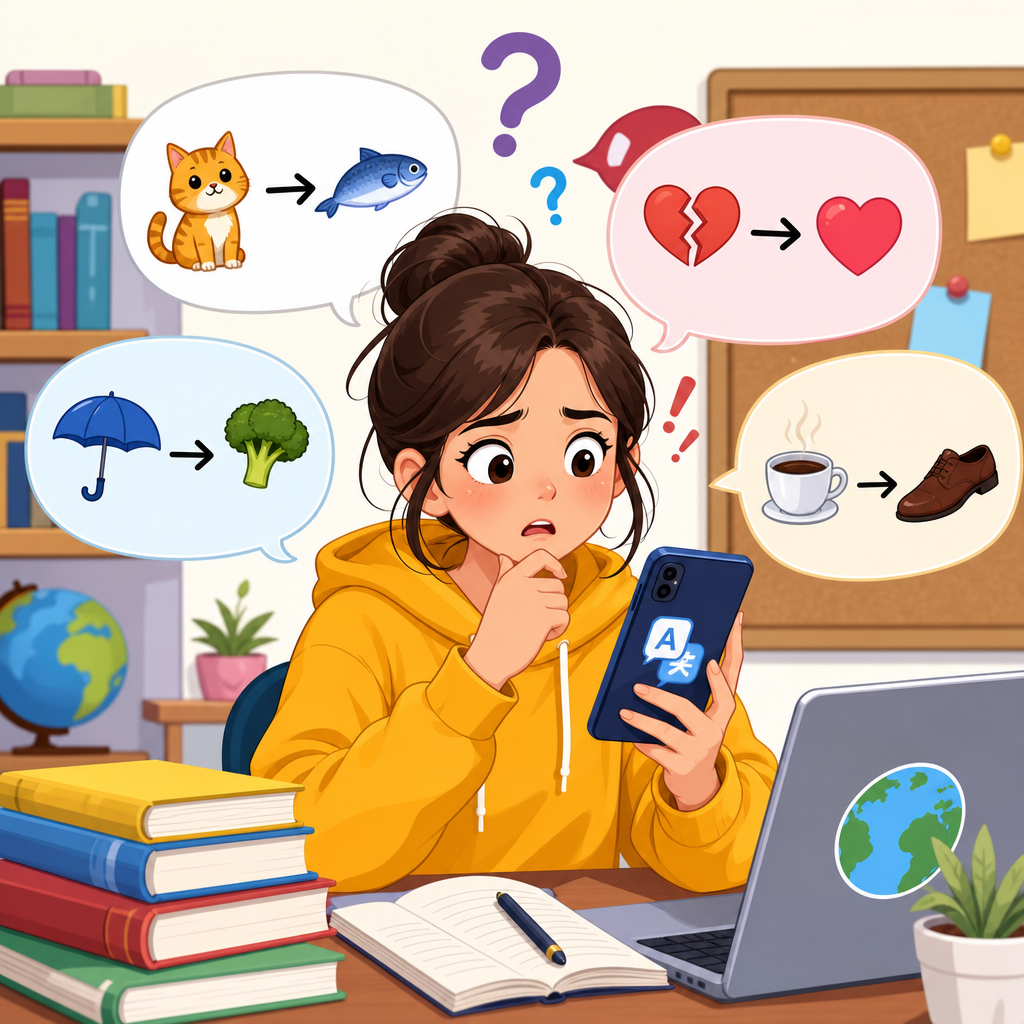
Translation apps have become a default study tool for English learners, yet the same convenience that makes them useful also creates habits that slow real progress. In this article, I will focus on common mistakes when using translation apps for English study, explain why those errors matter, and show better ways to use tools such as Google Translate, DeepL, Papago, Microsoft Translator, and built-in phone translators without damaging reading, listening, writing, or speaking development.
A translation app converts words, phrases, or full sentences from one language to another. Modern apps rely on neural machine translation, which predicts likely equivalents based on massive bilingual datasets rather than simple word-for-word substitution. That technology is impressive, but English study requires more than getting a quick equivalent in your first language. Learners need to build lexical depth, notice grammar patterns, understand register, and retrieve language without constant support. Translation can help with those goals, but only when used deliberately.
This matters because misuse creates an illusion of understanding. I have seen learners read an English article, translate every line, and feel productive, yet remember almost nothing a day later. Others write messages in their own language, paste them into an app, and assume the output sounds natural, only to produce stiff or incorrect English in class or at work. These are not minor problems. They affect fluency, confidence, test performance, and real communication.
The core issue is dependency. If a learner reaches for translation before trying context, inference, or recall, the brain never gets enough productive struggle to form durable memory. Effective study needs friction: guessing meaning from examples, comparing collocations, checking pronunciation, and noticing when a direct translation is misleading. Used well, translation apps can speed up checking and reduce frustration. Used badly, they become a shortcut that blocks the exact skills the learner wants to build.
Translating every unknown word instead of reading for meaning
The most common mistake is stopping for every unfamiliar word. This breaks comprehension and trains the learner to read at sentence level instead of text level. English reading depends on tolerance for ambiguity. In practical terms, you often need only 90 to 95 percent vocabulary coverage to understand the main idea of a paragraph. If you interrupt constantly, you lose the argument, tone, and structure that help define each word.
A better method is selective lookup. Read the entire paragraph first, underline repeated or high-impact words, and translate only the items blocking core meaning. When I coach adults reading workplace emails, I ask them to mark three kinds of vocabulary: essential, useful, and ignorable. Essential words affect the decision or action. Useful words improve future reading. Ignorable words add detail but do not change the message. Translation should focus on the first two groups.
This approach also improves retention. A word guessed from context and then confirmed by translation is more memorable than a word translated instantly. For example, if a learner reads “The meeting was postponed due to a scheduling conflict,” context often reveals that postponed relates to time and delay. Confirming the translation afterward anchors the meaning more strongly than looking it up before any thinking happens.
Trusting single-word translations and missing collocations
Another major error is assuming one translated word equals one English word in every situation. English vocabulary works through collocation, connotation, and register. Translation apps can give a dictionary-style equivalent, but they do not always teach which combinations are normal. Learners then produce phrases like “make a photo,” “strong rain,” or “discuss about,” which are understandable but unnatural.
Collocations matter because fluent English is built from patterns, not isolated items. Native speakers say “take a photo,” “heavy rain,” and “discuss a topic.” A translation app may not warn you when the direct equivalent is grammatically possible but uncommon. This is especially risky with verbs such as do, make, take, get, and have, which vary across languages and appear in hundreds of fixed combinations.
To avoid this mistake, treat app output as a starting point and verify usage in a learner’s dictionary or corpus. Cambridge Dictionary, Longman, Oxford Learner’s Dictionaries, and the Corpus of Contemporary American English are reliable checks. If a translation app gives “issue” for a word meaning “problem,” search examples before using it. In English, issue can sound formal or organizational, while problem is broader and often more direct.
Using full-sentence translation to write English from scratch
Many learners draft a message in their first language and translate the whole thing into English. This feels efficient, but it often imports first-language structure into the final sentence. Neural translation has improved, yet it still struggles with politeness level, implied subjects, article use, tense nuance, and context-specific tone. The result may be technically acceptable but not appropriate for the situation.
I see this often in business English. A learner writes a polite request in their own language, translates it, and gets an English sentence that sounds either too blunt or strangely formal. For example, “Please confirm me” appears in translated emails, though a natural version is “Please confirm whether this works for you” or simply “Please let me know.” Small differences like these shape professionalism and clarity.
A safer process is to write directly in simple English first, even if the sentences are short. Then use the translation app backward: translate your English into your first language and see whether the meaning matches your intention. That reverse-check method catches many errors. For daily practice, combine this with a structured habit such as the 3-2-1 daily English routine for busy adults, which encourages output without overreliance on tools.
Ignoring context, register, and audience
Translation apps are weak at social nuance unless the prompt is extremely clear. Learners often ask for a translation of one sentence without saying who will read it, whether the situation is formal, or what relationship exists between speakers. English changes with context. A phrase suitable for a close friend may sound unprofessional in a job interview, customer email, or academic setting.
Consider the difference between “I need help,” “Could you help me with this?”, and “I would appreciate your assistance with this matter.” All can express the same basic idea, but the audience changes the best choice. Translation apps may return one option and make it look definitive. It is not. Register is not decoration; it is part of meaning.
When translating, add context to the prompt if the app allows it. Specify formal email, casual chat, customer support reply, or classroom presentation. Then compare outputs. If the app does not support detailed prompting, test the sentence in a dictionary, writing assistant, or authentic examples from LinkedIn posts, news articles, or company websites. Real examples reveal tone far better than isolated translated text.
Neglecting pronunciation, listening, and spoken rhythm
A silent translation habit creates learners who can recognize meanings on screen but cannot understand or produce the same language in speech. Translation apps are text centered, and many students never tap the audio button, check stress patterns, or notice weak forms. This is a serious gap because English communication depends heavily on pronunciation, connected speech, and listening recognition.
For example, a learner may know the translated meaning of “comfortable” but still pronounce every syllable clearly and fail to recognize the common spoken form, often closer to “COMF-tər-bəl” in natural speech. The same happens with reductions such as “going to” becoming “gonna” in informal conversation, or function words weakening in fast speech. Translation alone will not teach this.
Use apps with text-to-speech only as a first check, not a final model. Compare app audio with trusted pronunciation sources such as Forvo, YouGlish, Cambridge audio, or Merriam-Webster. Repeat aloud, record yourself, and notice stress. If a translated phrase is hard to say smoothly, it may be too advanced, too formal, or simply unnatural. Spoken usability is an excellent filter for studying translation results.
Confusing speed with learning progress
Fast answers feel productive, but speed is not the same as acquisition. Many learners use translation apps to finish homework, reply quickly, or get through reading assignments. The task gets done, but the language often does not stay. In cognitive psychology, retrieval practice and spaced repetition produce stronger long-term memory than repeated exposure with immediate support.
The problem becomes obvious in review. A student translates “schedule,” “deadline,” and “reschedule” ten times in one week, yet cannot recall them during conversation because the app handled retrieval every time. Real progress requires moving from recognition to recall. That means trying to remember first, then checking, then reusing the word in a new sentence later.
| Mistake | What Happens | Better Practice |
|---|---|---|
| Translating every word | Reading becomes slow and fragmented | Finish the paragraph, then look up only key blockers |
| Using one-word equivalents | Unnatural phrases and wrong collocations | Check example sentences in a learner’s dictionary or corpus |
| Writing in L1 first | Translated English sounds stiff or off-tone | Draft in simple English, then reverse-check meaning |
| Ignoring pronunciation | Poor listening and awkward speaking | Use audio, shadow phrases, and compare trusted models |
A practical solution is delayed translation. Set a timer for two minutes before checking meaning. During that time, guess from context, paraphrase in simple English, or recall a related example. Then confirm with the app. This small delay introduces the mental effort that turns exposure into learning.
Failing to verify accuracy in idioms, grammar, and specialized language
Translation apps are least reliable where language is most context bound: idioms, phrasal verbs, humor, legal wording, medical instructions, and culture-specific references. Learners often trust the output because the sentence is fluent, but fluency can hide inaccuracy. A polished wrong answer is more dangerous than an obviously broken one.
Idioms are a classic trap. If a learner translates “I’m tied up this afternoon,” an app may produce a literal equivalent in another language or a misleading English paraphrase if the direction is reversed. The intended meaning is “I’m busy.” Phrasal verbs create similar problems. “Figure out,” “carry on,” and “turn down” depend heavily on context and cannot be mastered through direct translation alone.
Specialized language needs extra caution. If you are studying English for contracts, healthcare, engineering, or immigration paperwork, do not rely on app output without verification. Use domain-specific glossaries, official forms, or human review. The best habit is simple: trust translation apps for support, not authority. Use them to narrow possibilities, then confirm meaning, usage, and tone with stronger sources. That balanced approach builds independent English, which is the real goal. Audit your own study this week, identify one translation habit that weakens learning, and replace it with a smarter routine today.
Frequently Asked Questions
1. What is the biggest mistake English learners make when using translation apps?
The biggest mistake is using a translation app as a replacement for thinking in English instead of as a support tool. Many learners translate every word, every sentence, and every idea immediately, which feels efficient in the moment but weakens the exact skills they are trying to build. When you instantly switch everything into your native language, your brain has less reason to notice grammar patterns, infer meaning from context, remember vocabulary naturally, or tolerate the temporary discomfort that is part of real language growth.
This habit is especially damaging for reading and listening. In real communication, you do not always have time to stop and translate. Strong English users learn to guess meaning, connect ideas, recognize repeated structures, and understand the general message even when they miss a few details. Translation apps can interrupt that process if they are used too early or too often. Instead of developing comprehension, learners become dependent on confirmation from the app.
A better approach is to delay translation. First, try to understand the main idea on your own. Guess unfamiliar words from the sentence, the paragraph, or the situation. Then use the app selectively to check important vocabulary, confirm your interpretation, or compare wording. This keeps the app in its proper role: a tool for verification and support, not a crutch that does all the mental work for you.
2. Why is translating word by word a bad way to study English?
Word-by-word translation is one of the most common and harmful habits because English does not work as a simple code that can be converted one piece at a time into another language. Meaning is often carried by phrases, collocations, sentence structure, tone, and context. If you translate each word separately, you can easily misunderstand the message or produce English that is technically understandable but unnatural, awkward, or grammatically strange.
For example, many expressions cannot be understood literally. Phrasal verbs, idioms, common word pairings, and even basic sentence patterns often behave differently from what learners expect. A translation app may provide several possible meanings, but if you focus only on isolated words, you may choose the wrong one. This creates confusion and can lead to memorizing English incorrectly. It also slows reading speed because the learner stops repeatedly instead of following the flow of ideas.
The better habit is to translate in chunks. Look at complete phrases, not individual words. Pay attention to how words work together, such as “take responsibility,” “make a decision,” or “run out of time.” If a sentence is difficult, check the full sentence in the app rather than translating every item separately. After that, go back and notice how the structure works in English. This method improves vocabulary, grammar awareness, and reading fluency at the same time.
3. Can translation apps hurt speaking and writing skills?
Yes, they can hurt speaking and writing if learners rely on them to produce English they cannot create by themselves. Translation apps are excellent at generating sentences quickly, but speed is not the same as skill. If you always write your ideas in your native language first and then translate them, you may end up submitting or practicing English that is beyond your actual level. That creates the illusion of progress without building the ability to form sentences independently.
This problem is serious for speaking as well. A sentence from Google Translate, DeepL, Papago, Microsoft Translator, or a phone translator may be grammatically polished, but that does not mean you can say it naturally in conversation, remember it under pressure, or adapt it in a new situation. Learners sometimes practice lines they do not fully understand, including structures that are too formal, too advanced, or unnatural for everyday speech. As a result, they may sound stiff, become hesitant, or freeze when the conversation changes.
A smarter strategy is to use translation apps after you try to express yourself in English first. Write or say the sentence on your own, even if it is simple. Then compare your version with the app’s version. Ask useful questions: Is my sentence understandable? Is there a more natural phrase? Did I use the right tense or preposition? This turns the app into a feedback tool rather than a sentence generator. Over time, that process strengthens active language production instead of replacing it.
4. Are translation apps always accurate for learning grammar and vocabulary?
No. Translation apps are often impressive, but they are not perfect teachers of grammar or vocabulary. Their main goal is usually to produce a useful translation, not to explain why a form is correct, why another form is incorrect, or which nuance matters in a specific learning situation. That means a translation can be acceptable while still hiding important grammar differences, register issues, or subtle meaning changes that an English learner should understand.
Vocabulary accuracy is also more complicated than many learners realize. A single word in your language may have several English equivalents depending on tone, situation, field, and collocation. Translation apps often choose one probable option, but not always the best one for your purpose. The same is true in reverse: an English word may carry shades of meaning that are lost in translation. If learners trust the app too quickly, they may memorize vocabulary in a vague or misleading way.
Grammar can be equally tricky. Apps may produce correct sentences without showing the rule behind them. They may also smooth over mistakes so well that learners do not notice what was wrong in the original sentence. For study purposes, that is a problem because noticing mistakes is how improvement happens. The best practice is to cross-check important language with learner dictionaries, example sentences, grammar references, and trusted educational materials. Use the app for a fast answer, but use other resources for real understanding.
5. What is the best way to use Google Translate, DeepL, Papago, Microsoft Translator, and phone translators without slowing progress?
The best way is to use translation apps with clear limits and a clear purpose. They work well when you need quick support, such as checking the meaning of a key sentence, confirming a guess, comparing phrasing, or understanding a difficult passage after attempting it yourself. They are much less helpful when they become your first reaction to any English you do not immediately understand. The difference is whether the app is supporting learning or replacing learning.
A practical method is simple. First, read or listen for the main idea without translating. Second, try to guess unknown words from context. Third, use the app only for words or sentences that are important enough to block understanding. Fourth, review the English again after checking the translation so you can reconnect the meaning to the original wording. Finally, save useful phrases, not just isolated words, and reuse them in your own speaking and writing. This turns passive lookup into active study.
It also helps to choose the right tool for the task. One app may be better for full-sentence fluency, another for short travel-style communication, and another for image or voice translation. But regardless of which app you use, the principle stays the same: do not let convenience remove productive struggle. Productive struggle is the moment when your brain tries to remember, infer, compare, and build meaning. That effort is what develops long-term reading, listening, writing, and speaking ability. Translation apps are most powerful when they save time without stealing that effort.