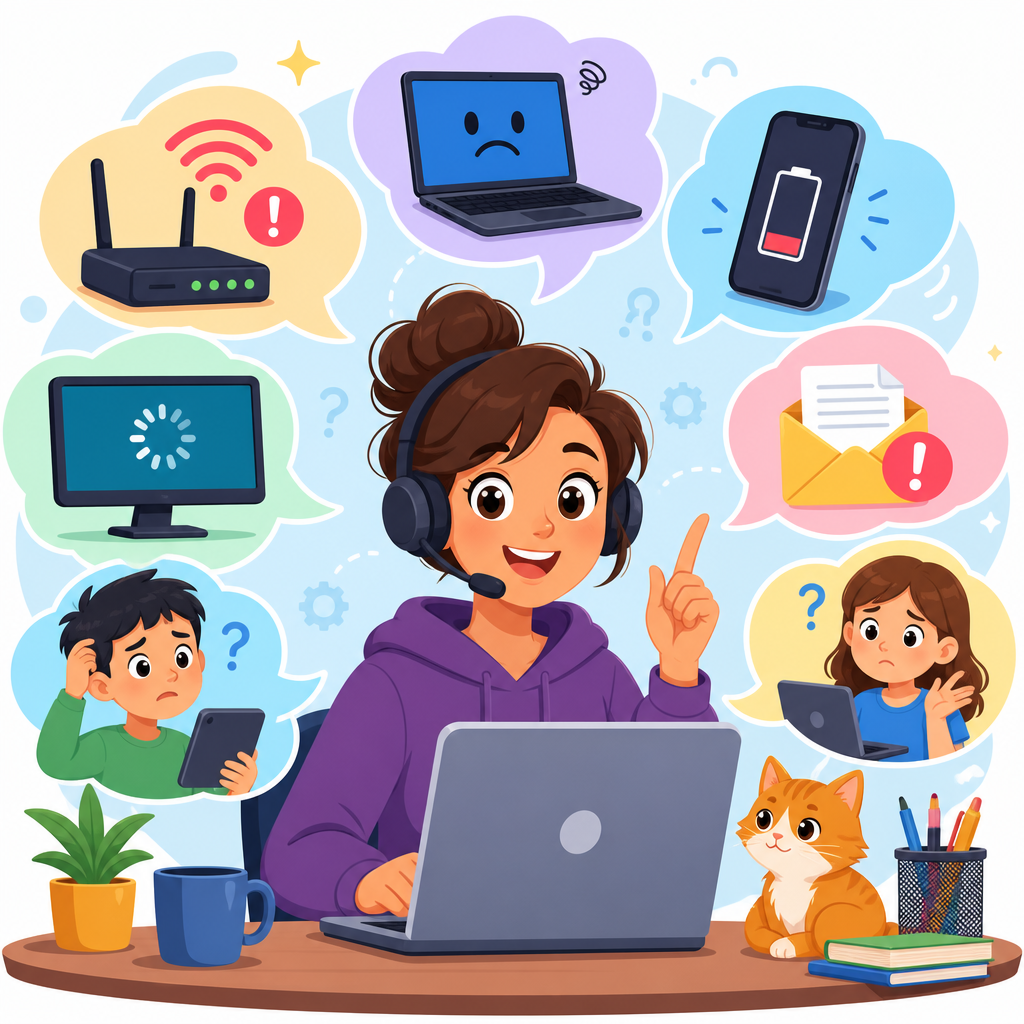
Technology support vocabulary helps renters describe internet outages, device failures, billing mistakes, and service appointments in clear English. This matters because many everyday housing problems are now technology problems: the Wi-Fi drops during work, the smart lock battery dies, the router needs resetting, or the cable line fails after a storm. I have seen learners handle lease questions well, then struggle when a property manager says, “Please troubleshoot the modem and submit a service ticket.” Without the right words, simple issues become long phone calls, missed appointments, and avoidable frustration.
In this article, technology support vocabulary means the practical words and phrases used when reporting a problem, following troubleshooting steps, confirming account details, and arranging repairs. It includes nouns such as router, outage, password, technician, and adapter; verbs such as reboot, reconnect, update, and replace; and common support phrases such as “I’m unable to log in,” “The connection is unstable,” and “Can you escalate this case?” The focus is not advanced engineering language. It is the everyday support English that appears in apartment buildings, internet provider calls, repair chats, and resident portals. For renters, this vocabulary is especially useful because home technology is often shared between tenants, landlords, building staff, and outside service companies, so precision saves time.
Good technology support language also protects you. When you can describe symptoms accurately, you are more likely to get the correct fix instead of repeating the same basic steps. Saying “My internet is slow” is less helpful than saying “The Wi-Fi signal is strong, but pages time out on two devices.” Saying “The lock is broken” is weaker than “The keypad lights up, but it does not accept the code.” Clear wording creates a record, supports refund requests, and helps staff decide whether the problem is inside your apartment, in the building, or on the provider’s network.
Core words for internet, devices, and access
The most useful technology support vocabulary starts with the equipment and the service itself. A modem connects your home to the internet service from the provider. A router shares that connection with your devices, often through Wi-Fi. In many apartments, one box does both jobs, but support agents may still use the two words separately, so it helps to know them. A network is the connection system; a Wi-Fi network is the wireless version you join with a password. A hotspot is a temporary wireless connection, usually from a phone.
You should also know the difference between signal, speed, and access. Signal refers to connection strength, often shown by bars or a Wi-Fi icon. Speed refers to how fast data moves, usually measured in Mbps. Access means whether you can actually use the service. For example, you can have full signal but no internet access if the provider has an outage. You can say, “My device connects to the Wi-Fi network, but I have no internet access.” That sentence is more accurate than simply saying the Wi-Fi is down.
Account vocabulary is equally important. Username, password, verification code, billing address, and account number appear in almost every support interaction. If you cannot sign in, say, “I’m locked out of my account,” “I did not receive the verification code,” or “The reset link expired.” In apartment settings, residents may also need words such as resident portal, smart intercom, key fob, access code, and building app. If you are still learning housing English, the main guide at https://5minuteenglish.com/english-for-renting-an-apartment-words-you-need-before-you-sign/ gives broader rental vocabulary, while this article stays focused on support language.
How to describe a problem clearly
Support conversations go faster when you describe symptoms, timing, and scope. Symptoms are what you notice: buffering, freezing, blinking lights, dropped calls, or an error message. Timing answers when it started and whether it is constant or intermittent. Scope explains what is affected: one app, one device, every device, or the whole building. When I coach learners, I recommend a simple pattern: “The problem started this morning. It affects two laptops and one phone. The router light is red, and websites do not load.” That format gives a technician enough detail to begin useful troubleshooting immediately.
Several terms are often confused. Crash usually means an app or device stops working suddenly. Freeze means the screen or app stops responding. Lag means a delay between action and response, common in video calls or gaming. Buffering refers to streamed audio or video pausing to load. Disconnect means the connection stops entirely. If the issue comes and goes, use intermittent. If it happens every time, use consistent or repeatable. Precise descriptions matter because each word points toward a different cause.
It also helps to report what changed. Support agents often ask, “Did anything change before the problem started?” Useful answers include “There was a power outage,” “I installed an update,” “I changed the password,” or “The issue began after I moved the router.” In apartment buildings, common causes include construction interference, dead batteries in smart locks, damaged ethernet cables, overloaded resident Wi-Fi, and incorrect settings after a move-in. Mentioning these details early can save twenty minutes of unnecessary script-based questions.
Troubleshooting vocabulary you will hear and use
Troubleshooting is the step-by-step process of finding and fixing a technical problem. Basic support English includes restart, reboot, reset, unplug, reconnect, pair, update, install, uninstall, and restore. Restart and reboot usually mean turning a device off and on again. Reset can mean two different things: a simple restart of settings or a full factory reset that erases stored preferences. Because factory reset is much more serious, confirm the instruction before doing it. A good clarifying question is, “Do you mean restart the device or reset it to factory settings?”
Another group of common words involves cables and power. Outlet, power cord, adapter, ethernet cable, battery, and charger are frequent in support calls. If a modem has no lights, the problem may be power rather than internet service. If your laptop works on battery but will not charge, the issue may be the adapter, the cable, or the port. Port means the physical connection point, such as USB-C or ethernet. Pairing is used for connecting devices like smart locks, speakers, and printers. If something worked before but not after an update, the update may have introduced a compatibility issue.
| Support phrase | What it means | Plain example |
|---|---|---|
| Power cycle the modem | Turn it off, wait, and turn it on again | Please unplug it for 30 seconds, then reconnect it. |
| Check for an outage | See whether the provider network is down | Is there a service interruption in my building? |
| Run a speed test | Measure download, upload, and latency | I got 12 Mbps down and 1 Mbps up. |
| Forget the network | Remove saved Wi-Fi settings and reconnect | I deleted the network and entered the password again. |
| Escalate the ticket | Send the case to a higher support level | Basic steps failed, so please escalate it. |
Some troubleshooting words point to measurement. Speed test checks download speed, upload speed, and latency. Download is receiving data; upload is sending it. Latency is delay, usually measured in milliseconds, and it affects calls and live video more than ordinary browsing. Error code is the number or message displayed when something fails. Screenshot is a captured image of the problem, often useful in chats or resident portal requests. When possible, include the exact error text instead of paraphrasing it. That gives support teams a searchable, reproducible clue.
Talking to support, technicians, and property staff
Technology support vocabulary is not only about devices; it is also about process. A ticket, case, or request is the official record of your problem. Reference number or case number identifies that record. Escalation means moving the issue to a more experienced team. Dispatch means sending a technician to your apartment or building. Service window is the time range for the visit, such as 1 p.m. to 5 p.m. If you need permission from the building, use phrases like “The technician needs access to the telecom closet” or “Please confirm whether building management must be present.”
Be specific and polite when asking for action. Useful phrases include “Please confirm the earliest appointment,” “Can you test the line remotely,” “I need an update on ticket 48291,” and “If the outage continues, please note that I work from home.” For billing problems, say “I was charged twice,” “This fee appears incorrect,” or “Please credit my account for the service interruption.” In my experience, concise records work best: date, time, symptom, steps tried, and result. That language sounds organized, and organized reports are easier for staff to resolve.
There are limits to what support vocabulary can do. Clear English cannot fix poor infrastructure, old wiring, or provider-wide outages. Still, it helps you identify responsibility. If every device fails and the provider reports an area outage, the issue is likely external. If only your unit is affected after a self-install, the issue may be local wiring or equipment setup. Knowing the words helps you move from vague complaint to documented diagnosis, which is exactly what support teams need.
Technology support vocabulary gives renters practical control over common home problems. When you know the right words for equipment, symptoms, troubleshooting, and service requests, you communicate faster, avoid misunderstandings, and improve the chance of a first-time fix. The most useful habit is simple: describe what happened, when it started, what is affected, and what steps you already tried. That structure works for internet outages, smart lock failures, account access problems, and billing disputes.
The key takeaway is precision. Words like outage, intermittent, reboot, latency, error code, and service window are not technical decoration; they are tools that help other people help you. In apartment living, where providers, technicians, landlords, and building staff may all be involved, precise language saves time and creates a clear record. Review these terms, practice a few model sentences, and use them the next time support asks, “Can you describe the issue?”
Frequently Asked Questions
1. What is technology support vocabulary, and why is it important for everyday housing problems?
Technology support vocabulary is the set of English words and phrases people use to explain common tech-related problems clearly and accurately. In daily life, especially in rental housing, many problems are no longer just maintenance issues. They often involve internet service, devices, apps, smart home systems, billing platforms, and scheduled technician visits. For example, a renter may need to say that the Wi-Fi keeps disconnecting, the modem is not showing a signal, the smart lock battery is dead, the router needs to be reset, or the online resident portal charged the wrong amount. Knowing the right vocabulary makes these situations easier to report and faster to solve.
This language is important because support teams, landlords, property managers, and internet providers usually ask specific questions. They may ask whether the internet is completely out or just slow, whether the modem is plugged in, whether the issue affects one device or all devices, or whether the resident has already restarted the equipment. If a person does not understand words like “outage,” “connection,” “signal,” “network,” “reset,” “technician,” or “service request,” it becomes much harder to explain the problem and follow instructions. Clear technology support vocabulary helps renters sound precise, avoid confusion, and communicate the difference between a building issue, a device issue, and an account issue.
It also matters in practical, high-stress situations. If the cable line fails after a storm, someone working from home needs to report the outage quickly. If a smart lock stops working, the resident must explain whether the battery died, the keypad is unresponsive, or the app cannot connect. If billing is wrong, they need language to describe duplicate charges, missing credits, late fees, or unauthorized payments. In short, technology support vocabulary gives people the tools to describe everyday problems in professional, useful English so they can get results faster.
2. Which technology support words and phrases are most useful for renters to learn first?
The most useful words are the ones that appear again and again in real support conversations. A strong starting group includes “internet outage,” “Wi-Fi,” “router,” “modem,” “signal,” “connection,” “slow speed,” “disconnect,” “restart,” “reset,” “troubleshoot,” “device,” “service request,” “appointment,” “technician,” “billing error,” and “account.” These terms help renters talk about the most common problems they face at home. It is especially helpful to learn the difference between similar words. For example, “Wi-Fi” usually refers to the wireless connection inside the home, while “internet service” may refer to the broader service coming from the provider. A “router” shares the connection with devices, while a “modem” connects the home to the internet service itself.
Useful problem-reporting phrases include: “The internet keeps cutting out,” “The connection is unstable,” “The modem is online but the router is not working,” “I restarted the device, but the issue continues,” “The problem affects all devices in the apartment,” “The smart lock is unresponsive,” “The battery may need to be replaced,” “I was charged twice,” and “I need to schedule a service appointment.” These phrases are practical because they answer the basic questions support staff usually ask: what happened, when it started, what equipment is involved, how many devices are affected, and what steps were already taken.
It is also smart to learn appointment and escalation vocabulary. Renters often hear phrases like “submit a service ticket,” “confirm the appointment window,” “onsite technician,” “follow up,” “temporary outage,” “known issue,” or “escalate the case.” These terms help people understand what stage the problem is in and what to expect next. Instead of memorizing random tech words, renters should focus first on vocabulary that helps them describe symptoms, answer support questions, and understand instructions. That foundation is far more useful than advanced technical language.
3. How can I describe an internet or Wi-Fi problem clearly when speaking to a property manager or service provider?
The best way to describe an internet or Wi-Fi problem is to be specific, organized, and simple. Start by naming the main issue: “The internet is completely down,” “The Wi-Fi is connected, but there is no internet access,” or “The connection is very slow and keeps dropping.” Then explain when the problem started and whether it is constant or intermittent. For example, you might say, “The outage started this morning after the storm,” or “The internet disconnects several times each evening.” This helps support staff understand whether they are dealing with a temporary outage, a weather-related issue, overloaded service, or a device problem inside the unit.
Next, explain the scope of the problem. A very useful sentence is: “The issue affects all devices,” or “The problem only happens on my laptop.” That one detail can save a lot of time. If every device is offline, the problem may be the service, modem, or router. If only one device is having trouble, the issue may be with that device’s settings. It also helps to mention what you already tried. For example: “I restarted the router and modem,” “I checked the cables,” “I moved closer to the router,” or “I forgot the network and reconnected.” Support teams expect this kind of troubleshooting information, and giving it early makes the conversation more efficient.
Good support language is factual, not emotional. Instead of saying only “The Wi-Fi is terrible,” say, “The connection drops during video calls, and pages load very slowly.” Instead of saying “Nothing works,” say, “The modem power light is on, but the internet light is off.” Concrete descriptions are easier to act on. If possible, include details about signal strength, error messages, blinking lights, or whether the outage followed a storm, power loss, or building maintenance. Clear, structured explanations improve the chances of getting the right solution, whether that means remote troubleshooting, equipment replacement, or a technician visit.
4. What should I say if the problem involves a smart device, such as a smart lock, buzzer, thermostat, or app?
When the issue involves a smart device, it helps to separate the problem into three possible areas: the device itself, the power source, and the app or network connection. For example, with a smart lock, you might say, “The keypad is not responding,” “The lock is offline in the app,” “The battery appears to be dead,” or “The app cannot connect to the lock.” With a smart thermostat, useful phrases include “The screen is blank,” “The thermostat is connected to Wi-Fi but not updating,” or “The system is not responding to app controls.” This kind of vocabulary helps support staff identify whether the issue is mechanical, electrical, wireless, or software-related.
It is also important to explain whether the device fails completely or only partially. For example, a smart buzzer may ring, but the phone notification may not appear. A lock may work with a physical key but not through the app. A thermostat may display the temperature correctly but ignore scheduled settings. These distinctions matter. You could say, “The device has power, but it is not syncing,” “The app opens, but commands do not go through,” or “The hardware works manually, but the smart features are offline.” Those phrases are especially helpful because many smart home problems come from weak Wi-Fi, expired batteries, disconnected apps, or failed updates rather than total device failure.
If you need support quickly, mention safety and access issues clearly. For example: “I cannot unlock the door using the app,” “The building entry system is down,” or “The thermostat is not controlling the heat.” If you have already tried basic steps, say so: “I replaced the battery,” “I restarted the app,” “I checked Bluetooth and Wi-Fi,” or “I re-paired the device.” This shows that you have done basic troubleshooting and allows the support team to move to the next step. In housing situations, smart device vocabulary is especially important because these systems often affect entry, security, temperature control, and communication with building staff.
5. How can I talk about billing mistakes, service appointments, and support requests in clear English?
Billing and scheduling problems require a different set of support vocabulary, but the same principle applies: be direct and specific. If there is a charge problem, useful phrases include “I was billed incorrectly,” “There is a duplicate charge on my account,” “I did not receive the promised credit,” “The autopay amount is wrong,” or “This late fee appears to be a mistake.” If possible, include dates and amounts: “I was charged on May 3 and again on May 5 for the same service,” or “The invoice does not match the amount in my lease or service agreement.” Clear financial language reduces misunderstanding and creates a record that is easier to review.
For service appointments, common and useful phrases include “I need to schedule a technician visit,” “Please confirm the appointment window,” “No one arrived during the scheduled time,” “I need to reschedule,” or “Has the service request been submitted?” These expressions are helpful because support systems often move through formal stages: report, ticket, appointment, technician visit, and follow-up.